Set the scope
Choose the current screen or an auto-scroll target of 100, 250, 500 or up to 1,000 posts. Manual Scroll Capture lets you browse at your own pace. Sites, loading behavior and capture limits can mean fewer posts are collected.

A new name and a new home
Current editions, downloads and setup guides are at fiftysignals.com. The Page Pulse 1.0.1 download and instructions below remain available for existing users.
Moving from Page Pulse? Read the upgrade notes before installing. Chrome may treat it as a separate extension, so export the reports you want to keep.
Page Pulse 1.0.1 archive
Page Pulse 1.0.1 / For Chrome
Go beyond the latest post. Explore the writing, recurring themes and posting patterns on a Facebook page, profile or feed, with Gemini in Chrome's side panel.
You choose what gets scanned and which questions to ask. Works on other webpages, too.
Version 1.0.1 Desktop Chrome Free ZIP download
Manual installation and your own Google API key are required. Gemini usage may cost money.

Choose what gets scanned
Connect your own Gemini key
Save a report on your device
From your feed to a fuller picture
Keep it to the current screen, gather Facebook posts as you browse, or let Page Pulse scroll a feed before the analysis begins.
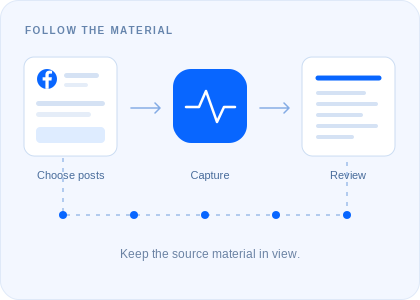
Choose the current screen or an auto-scroll target of 100, 250, 500 or up to 1,000 posts. Manual Scroll Capture lets you browse at your own pace. Sites, loading behavior and capture limits can mean fewer posts are collected.
Select from 43 built-in signals covering writing, tone, posting patterns and more. Add your own yes/no, multiple-choice or scored questions when you want to examine something specific.
Optionally include a snapshot of the visible tab or video transcripts. Page Pulse looks for available captions and can ask Gemini to transcribe a limited number of clips. Video support is best effort and varies by site.
Review the captured material in Inspect, return to saved scans in History, and export a PNG card, PDF report or plain-text summary. Exports are created locally without a separate export fee.
First, install the extension
This is a downloadable extension for desktop Chrome. It is installed manually, rather than through the Chrome Web Store.
Download version 1.0.1Keep the extracted folder. Chrome runs the extension from that location.
Extract the ZIP into a permanent folder on your computer, such as a Page Pulse folder in Documents. Find the folder containing manifest.json.
Type chrome://extensions into Chrome's address bar and press Enter. Turn on Developer mode in the upper right.
Click Load unpacked and select the extracted folder that contains manifest.json. Select the folder, not the ZIP file.
Open Chrome's Extensions menu beside the address bar and pin Page Pulse. Click its icon to open the side panel, then add your API key below.
Then, connect Gemini
Page Pulse does not include a shared API key. Create one in Google AI Studio so usage belongs to your own Google project.
Open Google AI StudioOpen the API keys page and sign in to Google. Choose Create API key, then select or create a Google project you control. If an existing project is missing, import it into AI Studio first.
Google now creates auth keys restricted to the Gemini API by default. See Google's API key guide for account and project details.
Copy the key, open Page Pulse and click API Key. Paste it into the field and click Save. Treat this key like a password; do not include it in screenshots or shared reports.
Open a Facebook page, profile or another webpage and choose Current Screen Only. Review the Visual Snapshot and Video Transcripts options, then click Analyze Page. Start small before trying a long feed.
Google's quotas, model access and billing depend on your project and the models used. A scan may make several requests, especially with a longer feed or AI transcription. Check your limits and Google's current pricing before scanning. PNG, PDF and text exports do not make an additional model request.
Before you scan
The extension connects directly to Google's Gemini API using your key. Cory's server does not receive the scan.
The page text and metadata collected for your scan, plus any screenshot, transcripts or media included by your settings. This can include signed-in or private content you choose to scan. Only scan material you are comfortable sending to Google; Google's API terms and data practices apply.
Your key, settings and scan history are stored in chrome.storage.local on your device. The key is sent to Google's Gemini API to authenticate requests. Local storage is accessible to someone with access to your Chrome profile or device. To remove the key, clear the API Key field and click Save. To remove saved scans, open History and click Clear All.
Page capture and subtitle retrieval require broad website permissions. There is no scan proxy on Cory's server and no analytics in the extension. Review the capture options and the page you have open before starting each scan.
Page Pulse is designed to read ordinary webpages and social feeds, with additional capture support for Facebook. A site's layout, loading behavior, access restrictions or video format can limit what it captures. Chrome's internal pages and other restricted pages cannot be scanned.
No. The depth selector sets a target, not a guaranteed count. Collection can stop at the end of a feed, when a page stops loading new posts, or at a capture limit. You can also stop auto-scroll early and analyze what has been collected.
Check that your key was saved and that your Google project can use the required APIs and models. Quota limits, billing requirements, network problems, restricted pages and Google's content filters can all affect a scan. Try Current Screen Only with video transcripts and the snapshot turned off to reduce the amount being sent.
Version 1.0.1 uses gemini-decision-1 for decisions, gemini-3.5-flash-lite for supporting analysis and some video work, and gemini-3.5-transcribe for audio transcription. Access and availability are controlled by Google.
Updates are manual. Download the new ZIP, close Page Pulse and replace the files in the same extracted extension folder. Then open chrome://extensions and click the reload button on Page Pulse's card. Keep the folder path the same and avoid removing the extension if you want to retain its local settings and history.
Yes. Save the PNG card, PDF report or plain-text summary from a completed scan. Review the report before sharing: it can contain page excerpts, personal details and model-generated judgments. Preserve the context and treat the conclusions as impressions that need checking.
Page Pulse for Chrome
Download the extension, add your key and start with one Facebook page.