This remaster of OpenSC2K, the open-source remake of SimCity 2000, adds new high-definition city art that stays clear at high zoom, a reworked toolbar and a 15-second Undo. You play it with your own copy of the original game files.
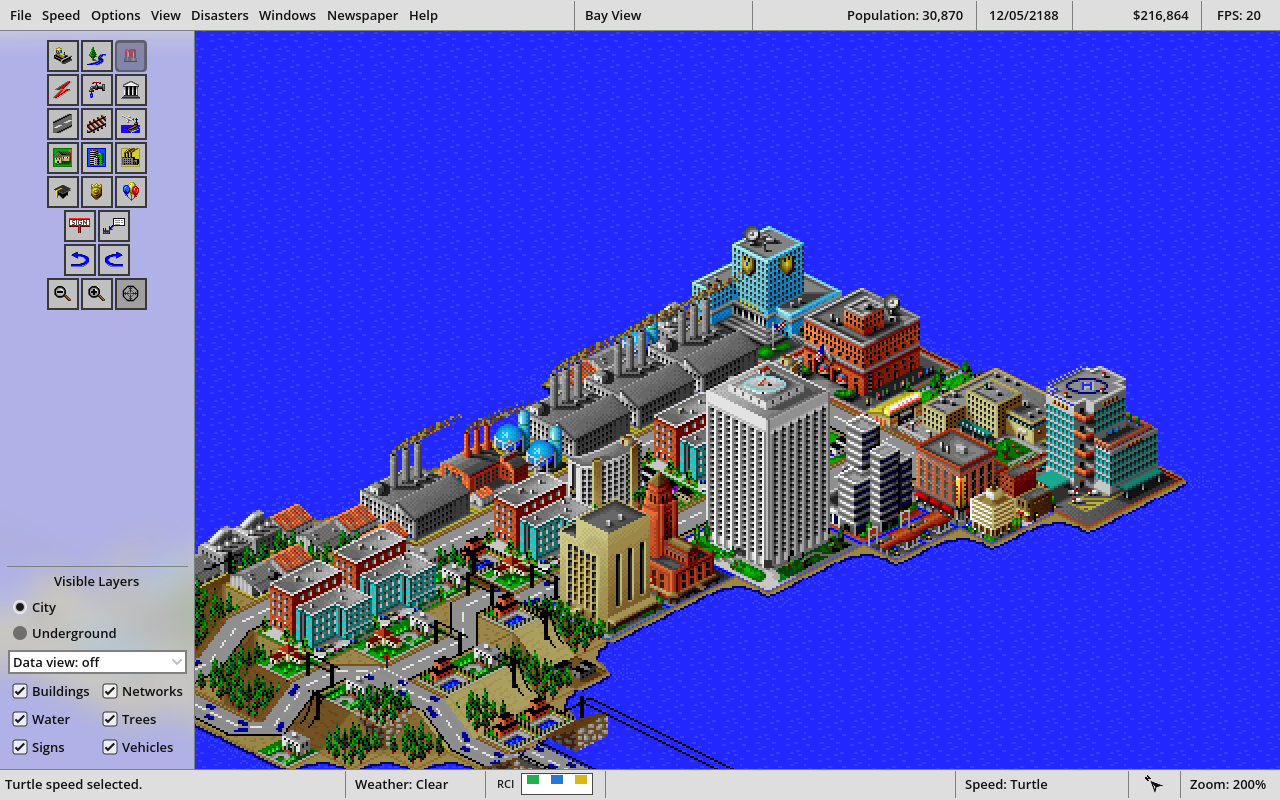
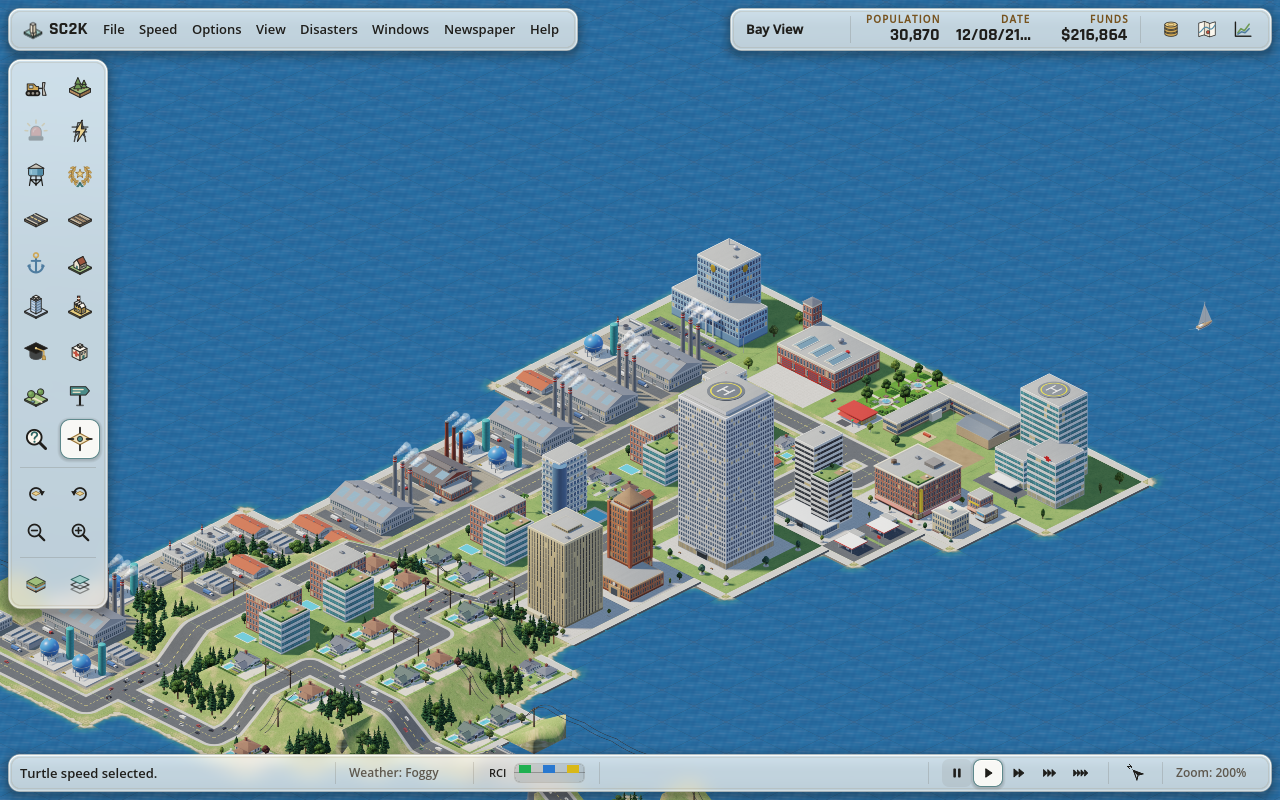
On the left is OpenSC2K as it was before the remaster (upstream commit 7b38850). On the right is Cory's remaster, version 0.3.1. Recorded separately from the same starting BayView city. The footage plays at normal speed with no color changes.
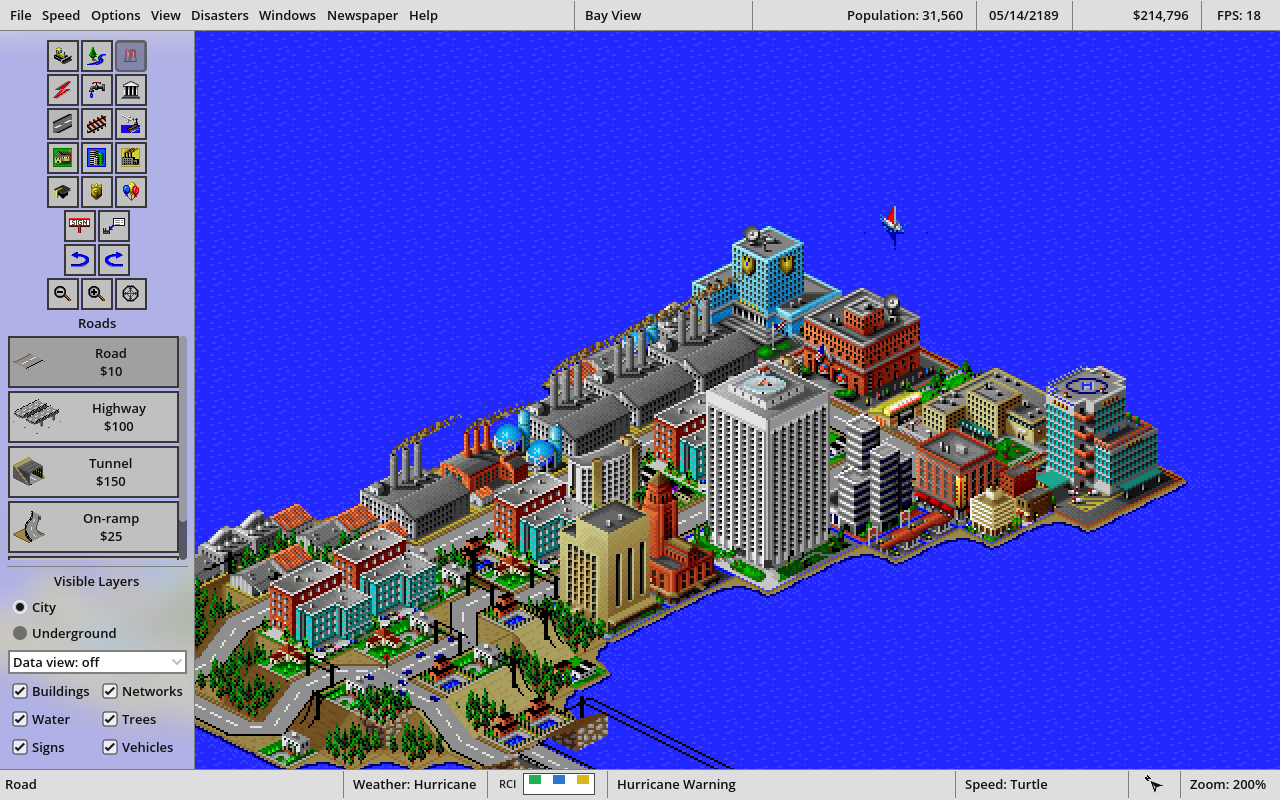
Peninsula streets. A BayView neighborhood at 200% zoom, drawn with the remaster's new high-definition art.
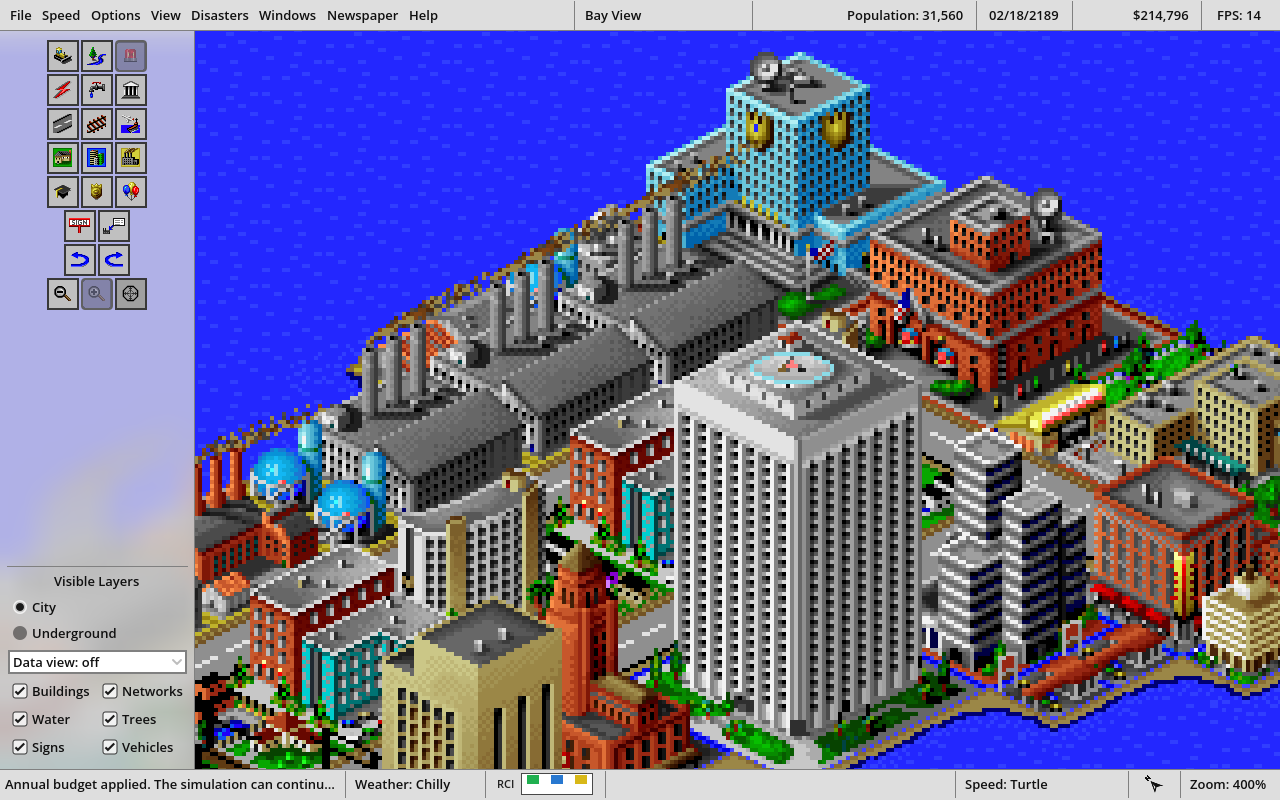
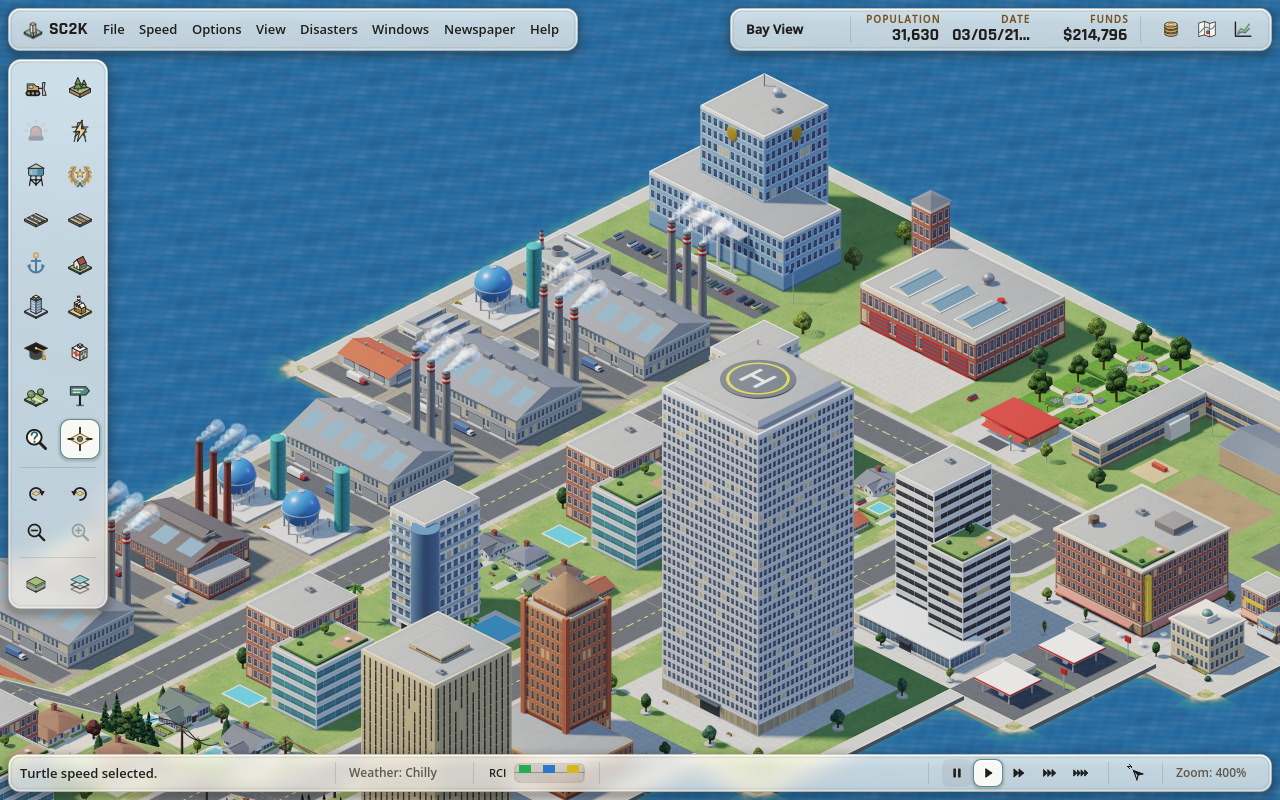
Detail at high zoom. The same spot at 400%, the closest zoom in both versions. In the remaster, watch the road traffic and drifting smoke around the sharper buildings.
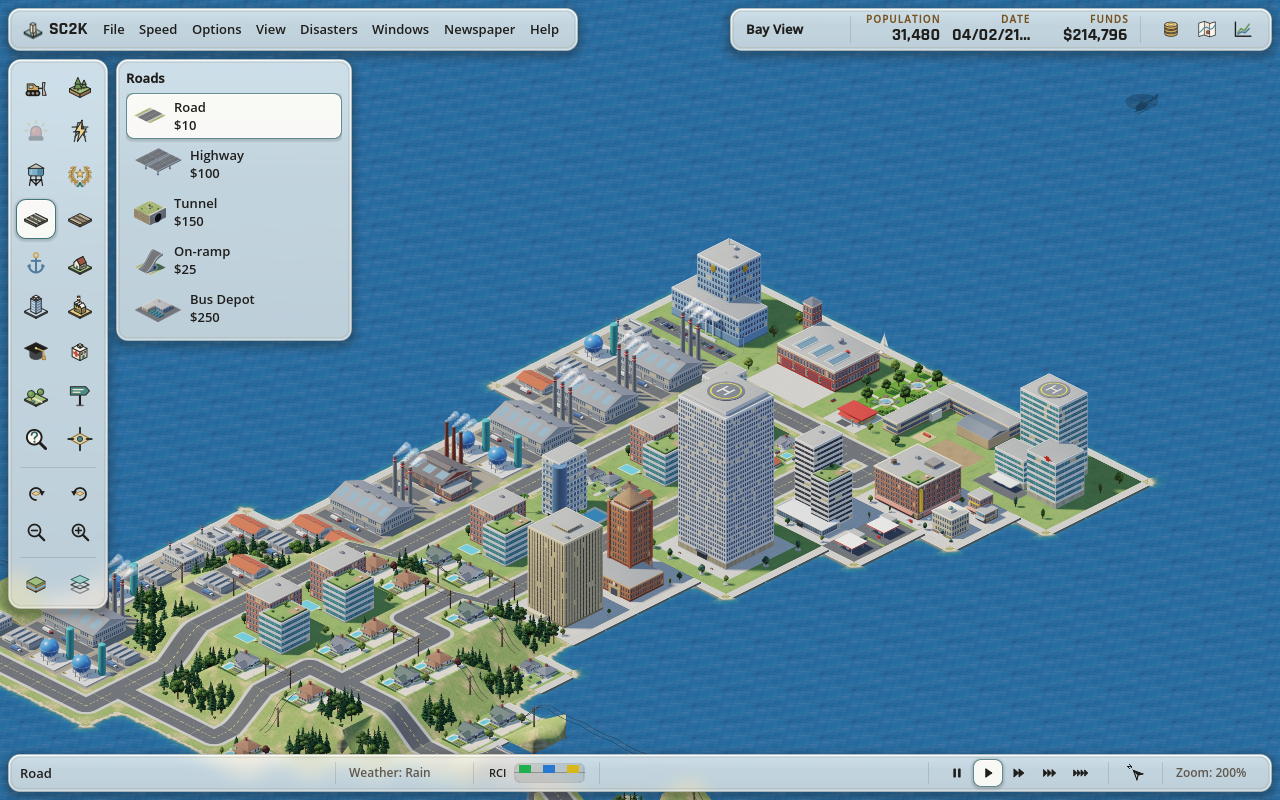
Toolbar. The Roads tool in each version. In the remaster, a second click on the tool closes its panel.
Matched viewsSame camera position and zoom setting
Before and after
Peninsula streets
OpenSC2KCory's remaster
BayView at 200%. The remaster draws buildings, roads and terrain with new high-definition art.
Detail at high zoom
OpenSC2KCory's remaster
Both versions zoom to 400%. At that size, the remaster's 3,012 high-definition images keep the detail clear. The film shows this view in motion.
Toolbar
OpenSC2KCory's remaster
Both show the Roads panel open. The remaster has a glass toolbar, and clicking a tool's icon again closes or reopens its panel.
Version 0.3.1Compared with upstream OpenSC2K
What changed
High-definition art
3,012 new HD images ship with the app. They cover the city's buildings, roads and terrain, and stay clear at high zoom.
Traffic and ships
Cars move along roads, but only as decoration, not as simulated trips. Highway and rail traffic stay still. Cargo ships and sailboats move at a slower pace.
Toolbar and panels
Click a selected tool again to close or reopen its panel. Using the tool on the map closes the panel and keeps the tool selected.
Reports
Charts and reports step aside for newspapers and other prompts. When the prompt closes, they come back with their settings.
15-second Undo
Undo your latest supported edit with the countdown button or Command-Z. The timer runs in real time, even while the game is paused. Disasters, military actions, rotating the city and loading another city clear Undo history.
DownloadVersion 0.3.1 · Intel Mac preview
Download for Intel Mac
Before you download
This build is for Intel Macs (x86_64). It hasn't been verified on Apple Silicon.
It is ad-hoc signed and not notarized, so macOS may show a security warning the first time you open it.
You need your own copy of SimCity 2000 Special Edition for Windows 95. The download contains no original game files.
Open the disk image and copy the app to Applications. The ZIP works too if you'd rather keep the app somewhere else. Either way, keep the app bundle in one piece.
If macOS blocks the first launch, go to System Settings › Privacy & Security and choose Open Anyway.
On the startup screen, choose Import Assets and point it at SIMCITY.EXE or the folder it's in. Leave Graphics, Sounds, Music and Game data all selected. The importer copies what it needs into the app's own profile and leaves your original files alone.
Make a backup copy of any city before you open or save it in this preview.
Updating from 0.3.0? Close the game and replace the app. Your profile and imported assets stay where they are. Known limits and build details are in the release notes.
Credits
Built on the work of Nicholas Ochoa and the OpenSC2K team.
Remaster by Cory Boehne.
OpenSC2K is an open-source project by Nicholas Ochoa and its contributors, released under the MIT License. This is an unofficial community fork, not an official OpenSC2K release. SimCity 2000 is a separate game by Maxis, and SimCity is a trademark of Electronic Arts. This project isn't affiliated with or endorsed by Maxis or Electronic Arts. Music playback uses FluidSynth (LGPL-2.1-or-later), and its source is linked above.
 Development